// transmission -
🗒️ Post-it Notes Won’t Scale
Let's be honest, most of us treat our AI chats like Post-it notes.
Radom asks, mixed with thoughts, answers to questions, ideas for your business or home.. it can be a mess.
A while back LLMs starting supporting the concepts of Projects.
Most people think they're just folders for your chats.
But Projects are so much more than that.
You give your AI chats a permanent home with clear instructions, the right files, and the tools it needs.
Suddenly it stops forgetting where to find answers.
You get continuity.
Fewer mistakes.
And a workspace that remembers what matters and lets you jump in without starting from scratch.
💡 Think about this: How much more could you accomplish if your AI didn't have to figure you out from scratch every single time?
Start giving it a stable, shared foundation to build real work with you over weeks and months and watch what happens.
Here's how you do it. 👇
📚 Jim's Learning Corner: Transforming Chats into Workspaces
ChatGPT Projects and Claude Projects bundle chats, files, and instructions into living workspaces that remember context, handle hand-offs, and keep data organized.
Key Facts
- 🗂 Persistent context: prompts, uploads, and settings stay in one place.
- 🤝 Team-ready sharing: ChatGPT uses roles, Claude shows live “Artifacts” for joint editing.
- 🔐 Security controls: audit trails and data policies ship by default.
I assumed Projects were glorified folders at first too. Within a day that idea went out the window once I took them seriously.
It creates real value for you, and possibly your team.
Here's why:
🏠 It gives you a stable, shareable foundation.
You set up your instructions and documents once, then reuse them across different conversations, tasks, and team members.
♾️ It allows you to bridge between async work and automated tasks.
Think of a Project like a container for your tasks, partial drafts, files, and processes.
It keeps the thread alive as you move from initial idea to draft to final review.
🤖 What ChatGPT Projects does best
ChatGPT treats Projects like an operating system for your AI work. Everything connects together.
→ The context window of 128K tokens handles most business documents comfortably. You can upload your brand guidelines, product specs, and customer research all at once.
Plus, you can add previous conversations to the Project's knowledge base. Your AI learns from earlier work.
→ Image generation lives right inside. Upload a spreadsheet and ask for a chart. Show it a rough sketch and request a polished diagram.
For marketing plans and pitch decks, this saves hours.
→ Enterprise features keep your IT team happy. You control who can edit versus who can just chat. Data retention and security settings are inherited from your workspace. No surprises.
You set up your tools once per Project. No more configuring the same settings every conversation.
🌼 What Claude Projects Does Best
Claude thinks about Projects as collaboration spaces. It's built for teams working on complex documents.
→ The 200K token context window means you can upload that entire research report, customer interviews, and your product roadmap without hitting limits, etc.
Plus, a capacity meter shows you exactly how much room you have left (which is a lovely touch).
→ Semantic indexing changes everything. Instead of hoping the AI remembers what's in your files, Claude builds a map of your documents.
When you ask questions, it finds the right section and quotes it directly.
→ Artifacts create a shared workspace. While you chat with Claude, it opens a panel on the side with your draft document, code, or outline.
You both work on it together. Changes happen in real time. For product teams and content creators, this feels natural.
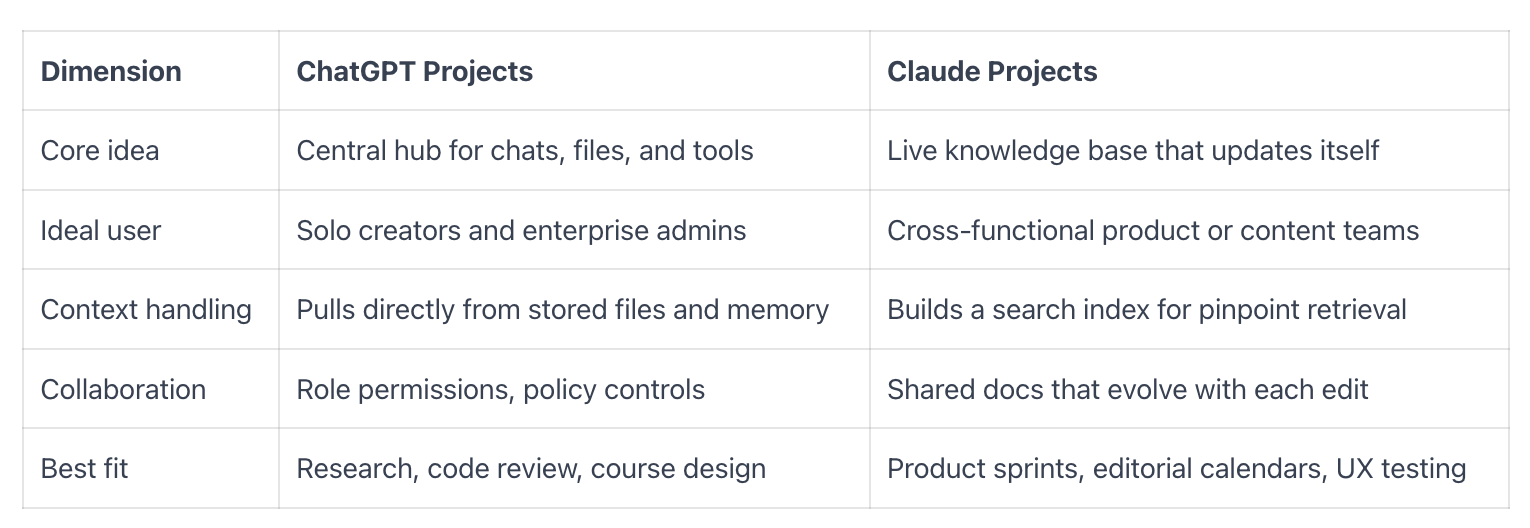
⚖️ A Quick Side-by-Side:
🤔 How to Choose the Right Tool for Your Work
I think about this in terms of work patterns.
Choose ChatGPT Projects when:
- You need visuals, charts, or diagrams as part of your workflow
- You want everything in one place (voice, image, code, text)
- You're coordinating many small tasks that connect together
- Your team already uses ChatGPT and you want consistent tools
Choose Claude Projects when:
- You're working with long, technical documents
- Accuracy matters more than speed
- You want to co-edit documents while discussing them
- Your work involves heavy research or policy documents
Both tools reduce the amount of setup you need for each conversation.
Both remember your context.
Both save time.
The difference comes down to how you work and what you're building.
🧪 Still unsure? Try This
Pick something real from your to-do list. Maybe it's a sales playbook, a grant application, or a customer onboarding sequence.
Step 1: Set up the same project in both tools
Create a Project in each platform. Upload the same files. Write a simple instruction that includes:
- Your goal (what success looks like)
- Your constraints (tone, budget, timeline)
- Your sources (which files contain the truth)
Step 2: Run the same sequence
Ask both AIs to:
- Draft a plan for the project
- Create your first deliverable
- Make a revision that references specific parts of your files
- Generate a visual (ChatGPT) or create a live document (Claude)
Step 3: Compare the results
Notice which one:
- Cited your sources accurately
- Stayed true to your instructions
- Saved you time on the next step
- Would be easier for a teammate to pick up
You'll feel the difference in one afternoon.
…still feel like too much?
⬇️ Here's a free training for you ⬇️
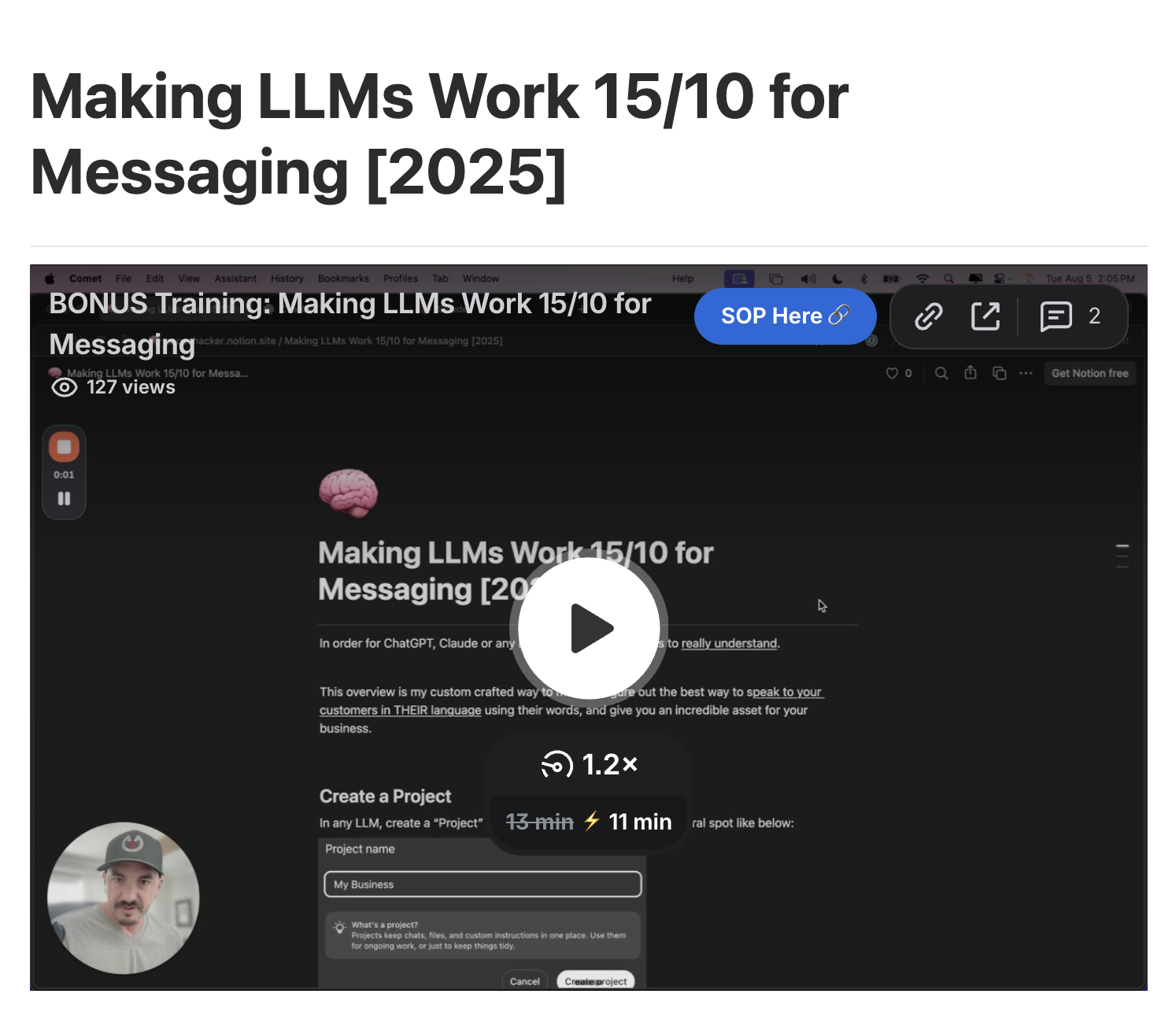
👨🏻💻 Use This Training to Get Started
This is the highly celebrated training that I've given to clients & taught in high-end masterminds. Now you can benefit from it too.
I'll show you how to properly setup a project in ChatGPT for your business with Custom Instructions & Deep Research
(BONUS: works with Claude too!)
I had the pleasure of joining Kehla G for an in-depth conversation about what’s really happening in the new era of AI-powered business and thought you'd want to check it out!
👇👇👇
🎙️ AI Is the New Normal: How Deep Research and Human Connection Are Redefining Entrepreneurship with Jim Carter III
Jim has advised top global thought leaders and Fortune 15 companies, bringing a rare depth of perspective to this discussion on how entrepreneurs can integrate AI without losing their humanity.
Kehla shares her own unhinged experiment using Jim’s deep-research method and how it skyrocketed her IG content performance by 66K views in three weeks on a single post.
Together they reveal how entrepreneurs can stop fearing automation and start using AI as a mirror for their unique design, voice, and leadership.
This episode is your permission slip to:
- See AI as a creative collaborator, not a competitor
- Integrate deep-research prompts into your strategy to find client language that converts
- Use data as a tool for embodied decision-making
- Build a business that’s scalable, efficient, and deeply human
If you’ve ever wondered how to keep your humanity while scaling with technology, this episode will expand the way you think about innovation, prosperity, and conscious leadership.
✌️ Your Turn
Where would a persistent workspace help you most right now?
Research projects? Content creation? Customer work? Internal processes?
Share your thoughts and tell me what you're building. I read every response and often feature reader stories in future issues.
P.S. Our community is growing and we're welcoming new members in weekly. It's where we share ideas like this and I share trainings like this first. Join us 🔗
// enjoyed.this.transmission
Get the next one in your inbox.
CTRL+ALT+BUILDTM ships every Tuesday - free forever, unsubscribe anytime.
// ps - there's a whole room behind this letter. Meet the community →